
I talk to my computer a lot now. Drafts, Slack replies, the first messy version of a help article. For a while that meant Wispr Flow, which is lovely, and also a subscription, and also sends my voice to someone else’s server.
So one afternoon I asked Claude Code a simple question: what’s the best open-source alternative? Then a pickier one: give me something in Rust. That led to Handy, a small Tauri app that does push-to-talk dictation entirely on your machine. Hold a key, talk, let go, and the text lands wherever your cursor is.
And then I did the thing you shouldn’t do with a question. I pasted a screenshot from another app, a little card that said “Apple Speech Analyzer. Next-generation on-device speech recognition. Requires macOS 26+”, and typed: fork Handy and add this.
A note on who did what. I run a documentation team. I didn’t write the Swift. Claude Code wrote it, tested it, broke it and fixed it, while I directed, asked annoying questions and made the calls. What follows is the honest log of that afternoon, and the one pattern that kept showing up.
Every bug was silent.
The plan fit on a napkin
Handy already talked to Apple once. Tucked in its source was a small Swift file that bridges to Apple Intelligence, the on-device language model. Rust can’t call Swift directly, but both of them speak plain C. So that file exposes ordinary C functions using an attribute called @_cdecl, and Rust calls them like any old C library.
The plan was to copy that pattern. A Swift file that takes a buffer of audio and a language code, hands both to Apple’s new SpeechAnalyzer, and returns text. A thin Rust wrapper around it. And a new entry in Handy’s model list, “Apple Speech Analyzer”, that never needs downloading, because it ships with macOS.
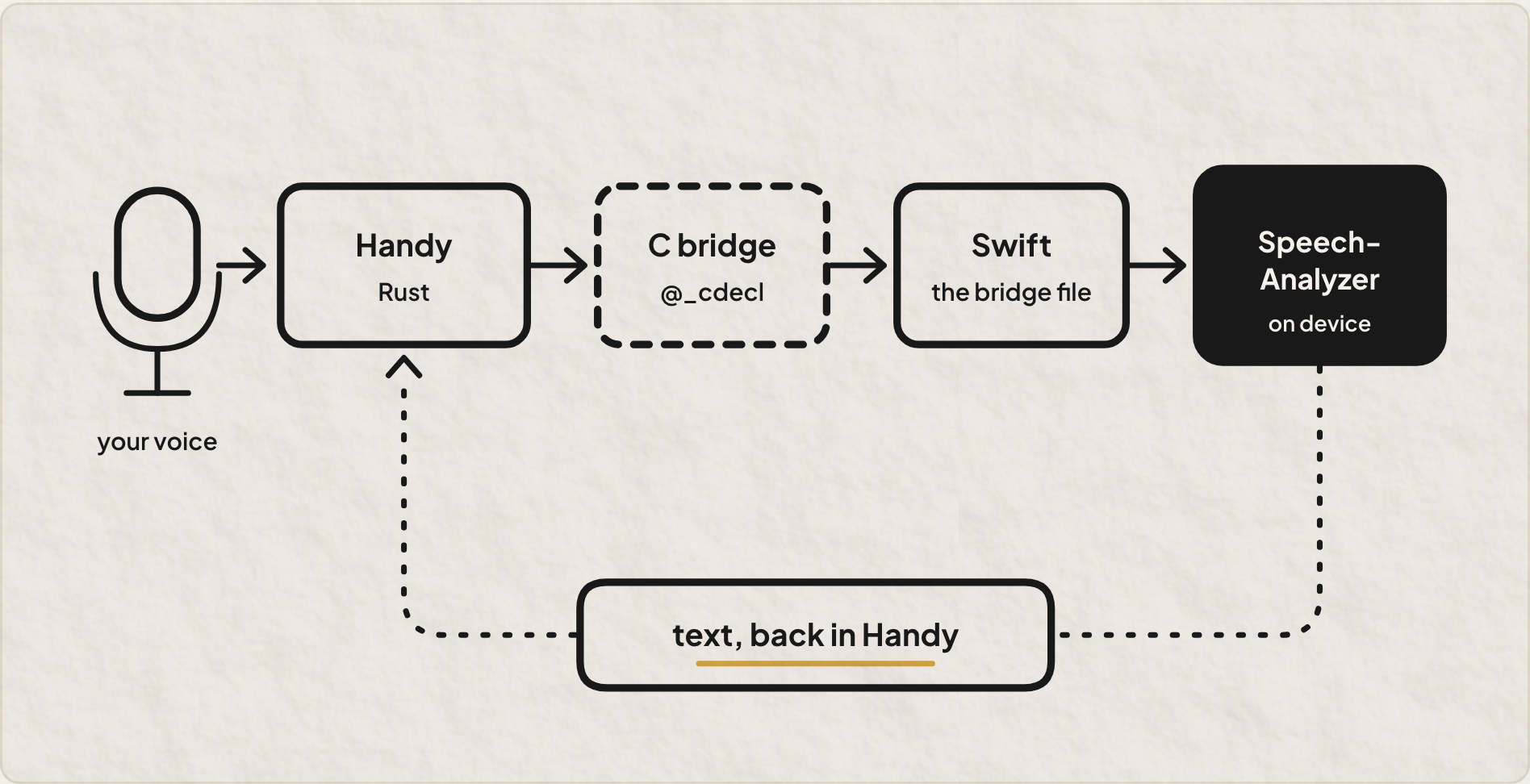
The first test didn’t touch Handy at all. Just a tiny C program feeding the bridge a clip made with macOS’s built-in say command. Eight seconds later it printed: “Hello from Handy. This is a test of Apple Speech Analyser running locally.”
Analyser, with an s. My Mac is set to English (India), and the bridge had quietly picked the en-IN model all by itself. That was the first nice surprise of the day.
Hold onto that word, though. Quietly.
Failure one: the build that lied
The project build went green. Compiled, linked, no errors. Then, scrolling past the warnings (there are always warnings, and nobody reads them), one line caught my eye: SpeechAnalyzer not in SDK. Building Apple Speech with stubs.
Here’s what happened. The build script had a guard. Older Macs don’t have SpeechAnalyzer, so if the system’s developer kit lacked it, the script compiled a stand-in that politely reports “not available”. To check, it searched Apple’s interface file for the text class SpeechAnalyzer.
But Apple doesn’t declare it as a class. It’s an actor. final public actor SpeechAnalyzer. One word off, and the search came up empty.
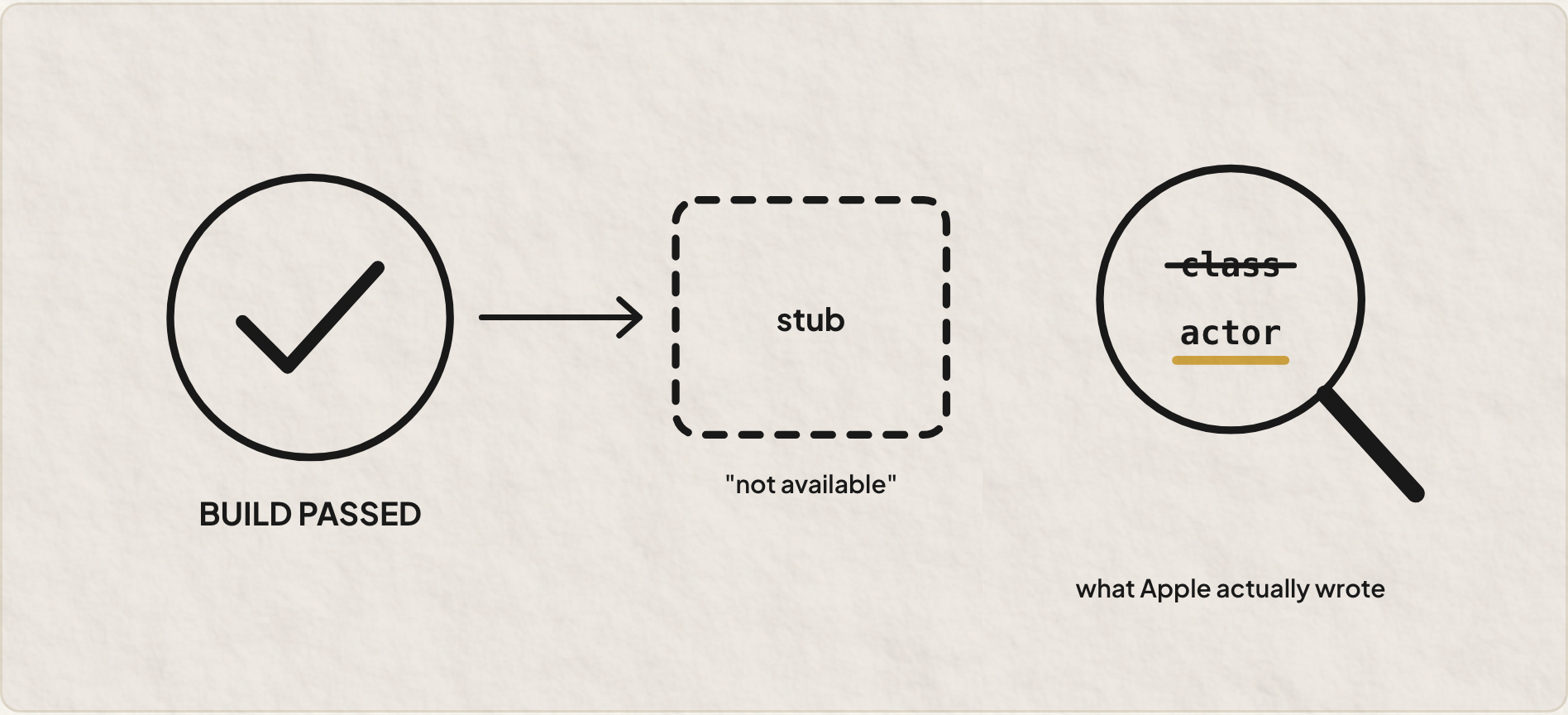
So the build happily produced a version of Handy where Apple Speech appeared in the menu and could never work. Nothing failed. The fallback did exactly what a fallback is supposed to do, which is hide the problem from you.
The fix was one word. Finding it meant reading a warning nobody reads.
! Fallbacks are the most polite liars in software. Don’t ask whether the build passed. Ask which path it actually took.
Failure two: the transcript that came back empty
Apple ships two transcribers. SpeechTranscriber is the general one. DictationTranscriber uses the same models as macOS’s own dictation. Dictating is literally Handy’s job, so I asked to try that one.
We ran an A/B on three clips. Same audio through both. SpeechTranscriber did its thing. DictationTranscriber returned… nothing. An empty string, three times in a row, with a success status every single time.
The reason took a debug program that printed every raw result Apple sent back. The short-dictation preset never marks its result as final. It sends one “volatile” result, the kind of draft you’d see flicker on screen while you talk, and then just stops. My code, sensibly enough, only kept final results. So it threw away the only answer it ever got. (The research later confirmed this behaviour isn’t documented anywhere. Fun.)
Once we kept the last draft too, the comparison got genuinely interesting.

Dictation wrote “3:30 PM” where the other wrote “330 p.m.”. It wrote “₹12,500” where the other dropped the word “rupees” entirely. And when the clip said “question mark” out loud, it typed an actual question mark.
It lost on exactly one thing. On plain sentences, it kept forgetting the full stop at the end. Remember that. It comes back.
Sending a researcher
At this point I had five open questions and an opinion on every one, which is the most dangerous state to be in. Which transcriber, really? Should the model stay warm between recordings? Could words show up live, while I’m still talking? How should a bare “en” pick a region? And could Handy’s custom vocabulary (it lets you list the names it keeps getting wrong) feed into Apple’s model?
Instead of guessing, we sent a research subagent off with a brief. Read Apple’s docs, the WWDC session, the developer kit itself, and how open-source apps like VoiceInk and FluidVoice do it. Test every claim locally with throwaway programs. Mark what’s verified and what isn’t.
It came back eight minutes later with a tidy document and, you guessed it, more silent failures:
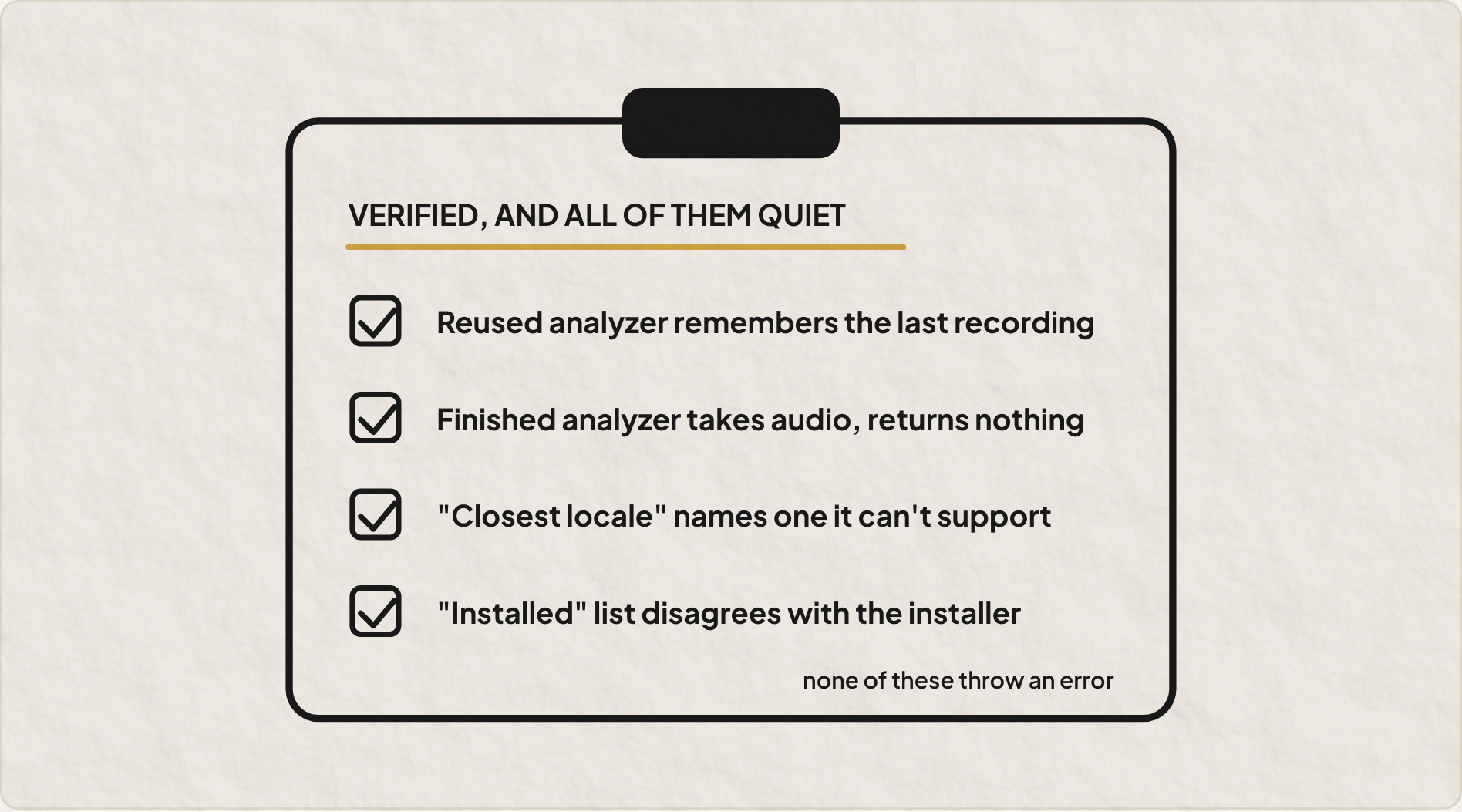
Reuse one analyzer across two recordings, and the second one inherits context from the first. Punctuation shifts. With SpeechTranscriber, one test lost a whole sentence. Feed audio to an analyzer that has already finished, and it accepts it, doesn’t complain, and returns nothing. Ask Apple for the closest supported locale to Hindi, and SpeechTranscriber answers hi-IN while also reporting hi-IN as unsupported.
None of these crash. All of them return a perfectly reasonable looking answer. I’d have shipped every one of them, happily.
Failure three: custom words that did nothing
Next we wired up custom words. Apple’s AnalysisContext lets you hand the model a short list of hints, and the research showed it fixing “Kissflow”, “Parakeet”, even my own name.
So I tested it on a fresh clip: “We moved the Kissflow dictation from Parakeet and Moonshine to whisper dot cpp.” With hints and without. Identical output, both times. “Kids flow.” “Whisper.PPP.”
So we went hunting. Was it the order of the calls? We tried five orderings. No change. The new memory options for keeping the model warm? Five variants. No change. The asset install step the research harness ran every time? Nope. Was the code only reading the last result? We printed every result. Still nothing.
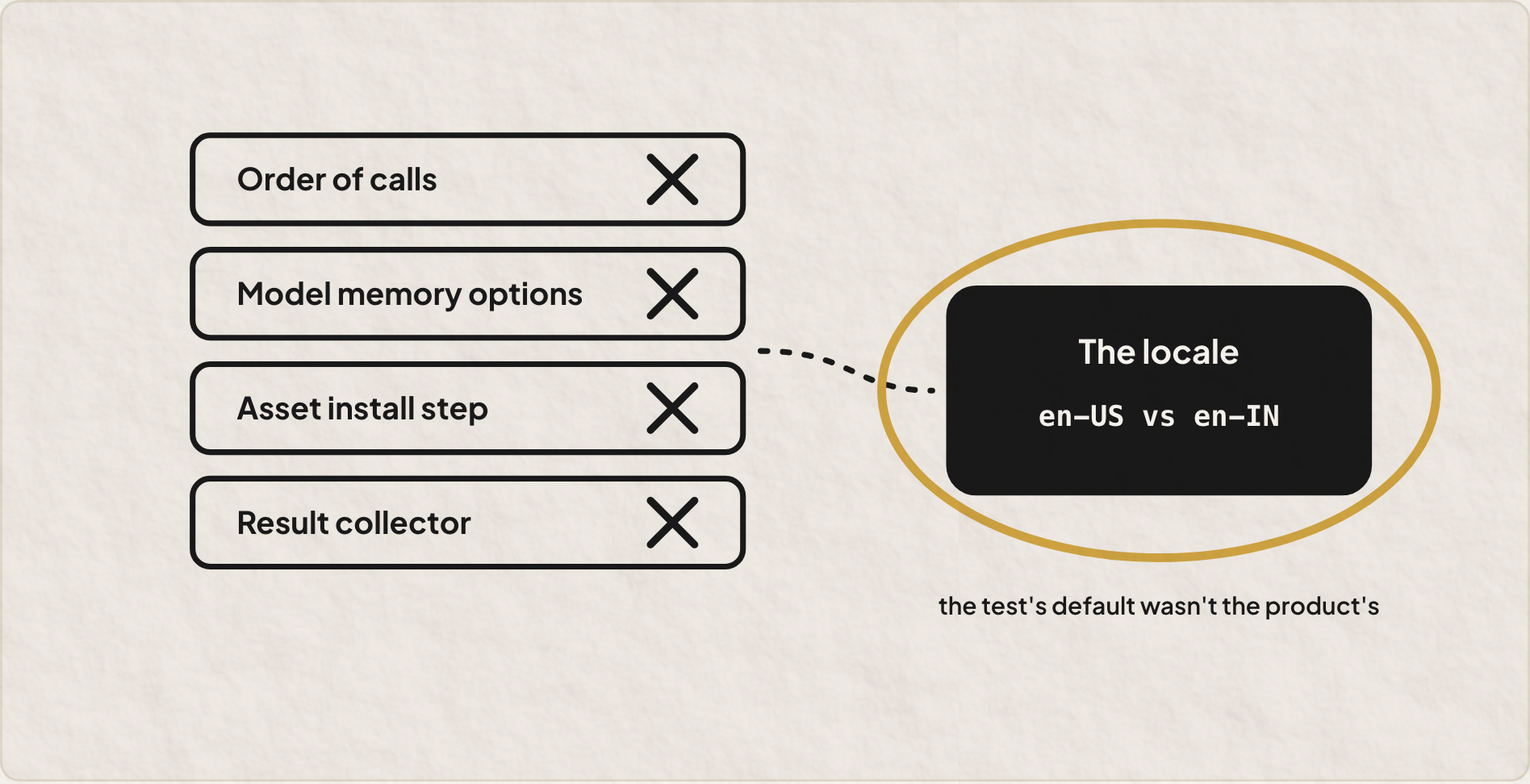
The answer was sitting in the first line of the research harness. It defaulted to en-US. My bridge, remember, quietly picks en-IN. Same clip in en-US: fixed. In en-IN: ignored. On other clips, en-IN took the hints just fine.
So nothing was actually broken. The hint is a nudge, and how hard it nudges depends on the clip and the locale. That’s useful to know, and we only learned it because the test that “proved” the feature ran with a different default than the product.
The test that proved the feature had a different default than the product.
Words that show up while you talk
This was the part I actually wanted. Handy already has a live preview overlay for streaming models. Apple Speech just wasn’t one, so it waited until I let go of the key and then dumped everything at once.
SpeechAnalyzer can report drafts as audio arrives. And Handy’s overlay already thinks in two parts: committed text that won’t change, and a tentative tail that might. Those map one to one. So the bridge grew a little session, start, feed audio, finish, cancel, plus a callback that pushes both parts into Handy every time Apple has news.
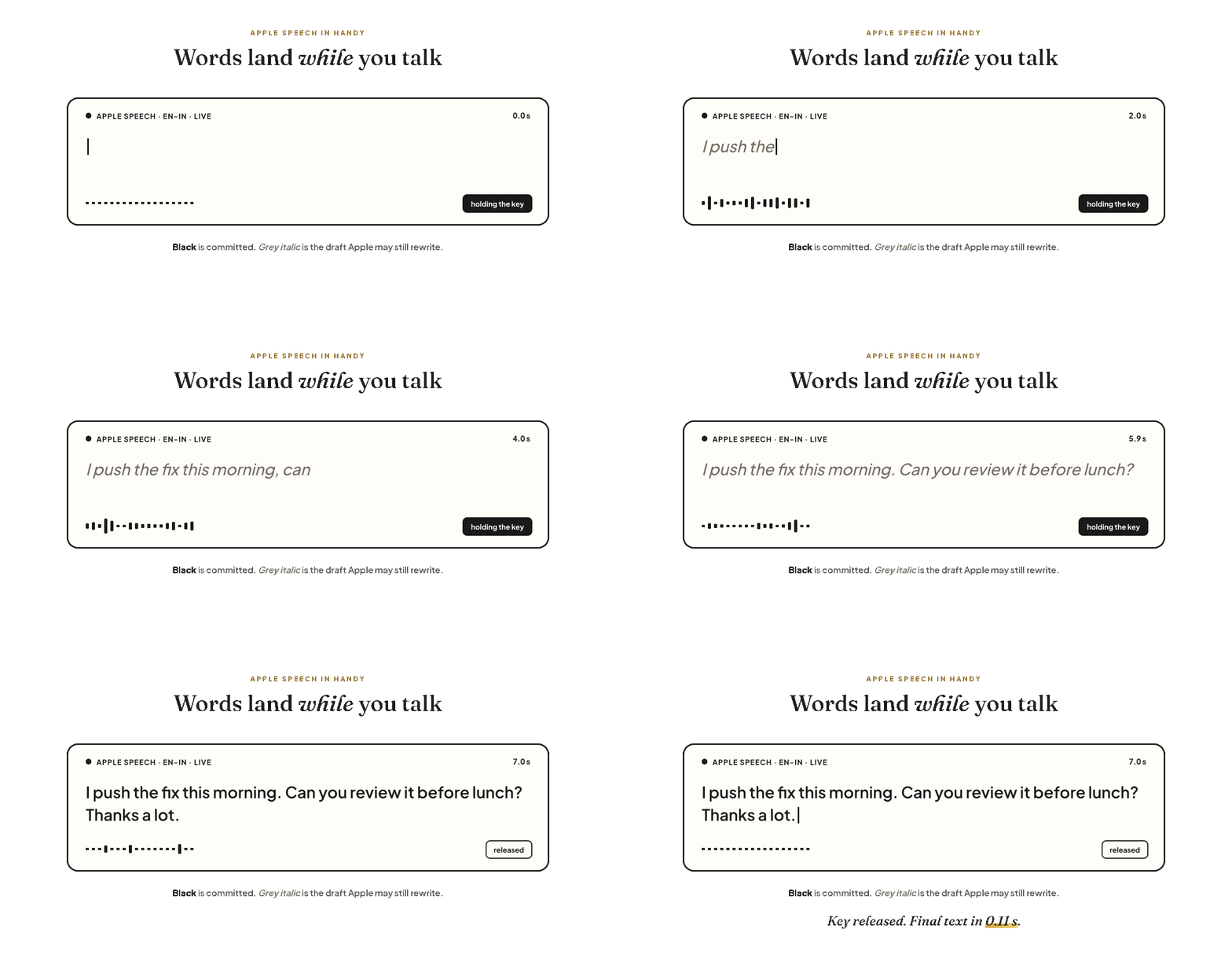
Fed real-time audio in tenth-of-a-second chunks, the first word lands about 0.8 seconds in, then a new word every 0.2 to 0.3 seconds. When you let go, the final text arrives in roughly a tenth of a second. That’s the bit that makes it feel like typing rather than waiting.
One detail I liked: cancelling waits until Apple’s stream of results has completely stopped before freeing anything. Otherwise a late result could land on memory that’s already gone. That’s the opposite of a silent failure. It’s a loud crash that happens once a month, and honestly those are worse.
The full stop, and a naive fix
Back to that missing full stop. Dictation leaves it off when a sentence ends without a strong cue, like “…running locally”, while questions keep their question mark just fine.
We could run both transcribers and borrow SpeechTranscriber’s punctuation. That roughly doubles the work, for one character. Instead, the rule is simple: if the final text ends in a letter or a digit and has at least four words, add a full stop. Short commands like “next tab” stay bare. Chinese, Japanese, Thai and Hindi are skipped, because they end sentences differently.
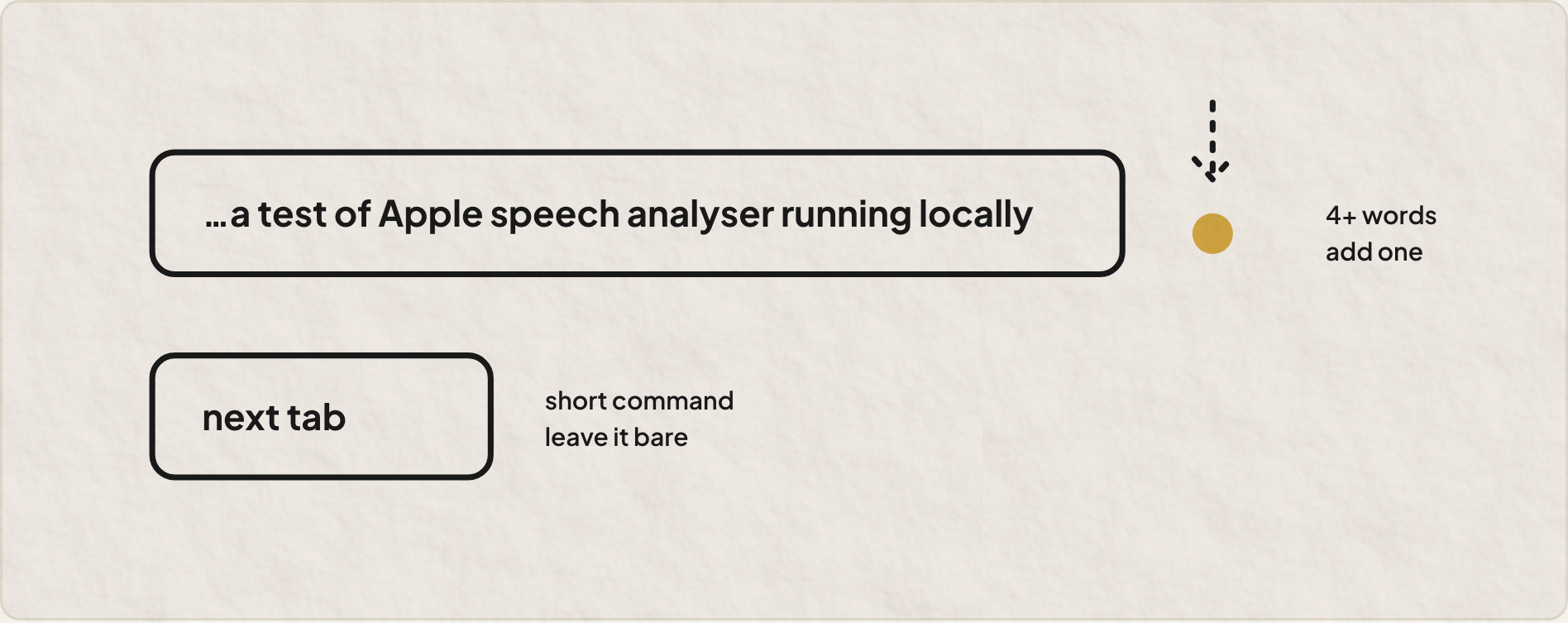
It’s a crude rule. The code says so too, with a comment that names the threshold and where to tune it if it starts misfiring. Honestly, that comment is my favourite line in the whole change.
Then I actually talked to it
Release build. Copied into Applications. Ad-hoc signed, because it’s only for me. Then the real test, my own voice, for the first time all afternoon, after hours of robot voices from say.
The log, word for word: “Kappa, undo.” “Google Time is up.” And then, when I slipped out of English the way I do: “Idhu Ellaam Veettil Enakku Nu Saath.”
Apple’s dictation doesn’t cover Malayalam or Tamil, so it gave me its best impression in English letters. Which, to be fair, is roughly what my friends get from me on WhatsApp. For those languages, Handy’s Whisper models are the way to go. Apple Speech is the fast, private, English (India) one, and it’s very good at that.
The whole thing is merged into main on my fork: chakkiyar102/Handy.
What a docs person takes from this
I write about software for a living. Most of my job is turning “it works” into something a reader can actually trust.
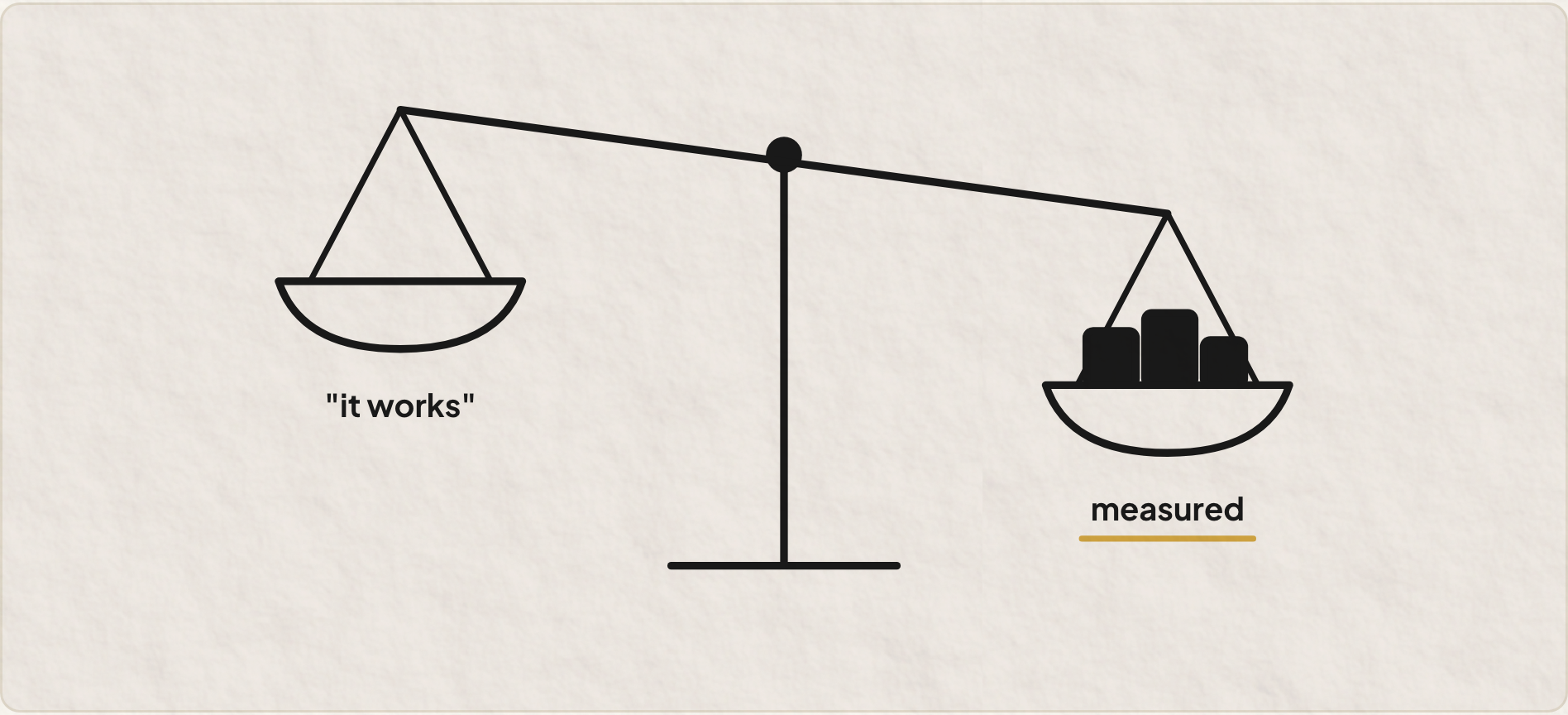
What this afternoon drove home is that “it works” is a claim, and software is very, very good at making that claim without the evidence. A green build. A success status wrapped around an empty string. An analyzer that accepts your audio and politely returns nothing. A test that passes because its defaults aren’t yours.
None of those failures were loud. Every one of them got caught the same unglamorous way: run the real thing, print what actually came back, and compare it with what you expected. Most of the work was reading the one line in the log that says what really happened.
Working is a claim. Measured is evidence.
Built with Claude Code over one afternoon. The fork, with Apple Speech, live text and all, lives at chakkiyar102/Handy.